Name what you already understand before the build gets bigger.
Maker math
Dot Product for Facing and Projection
Use dot product to answer practical questions: is one thing facing another, how much motion points forward, or how much light hits a surface.
Topic goal to ladder route
Know the destination, then climb the route.
A topic is the maker goal. A ladder is the route from what you understand now to one visible proof you can build, sketch, test, or explain. This one ties back to Build a First Godot Game Loop.
Use dot product as a yes/no or how-much signal for facing, projection, lighting, and control problems.
Read the short lesson, watch one source tutorial, sketch the idea, check the math, then practice.
Draw a player forward arrow and a target direction arrow. Predict whether the dot product should be positive, near zero, or negative before calculating it.
Text lesson first
What this math unlocks
Use dot product to answer practical questions: is one thing facing another, how much motion points forward, or how much light hits a surface. The useful question is not “what formula do I memorize?” It is “what part of the build can I now inspect, predict, or measure?”
Project question
Use dot product as a yes/no or how-much signal for facing, projection, lighting, and control problems.
Safe first move
Normalize direction vectors first when you want an angle-like comparison instead of a size-weighted number.
Use it in context
Build a First Godot Game Loop gives this idea a concrete project anchor.
Source tutorials for this topic
These videos support the lesson. Use them to see the idea move, then keep the written ladder, notes, cards, and practice task as the reusable part.
Use the controls to compare source tutorials. The first card embeds a privacy-enhanced player; alternate cards open on YouTube so the page stays fast.
1 of 2
Primary source
Math for Game Devs Part 1: Numbers, Vectors and Dot Product
Video by Freya Holmer · Open on YouTube
A visual bridge from coordinates to vectors and dot products, useful for movement, facing checks, lighting, sensor direction, and force arrows.
First watch: Watch for the moment a vector becomes both direction and length, then write what a normalized vector proves.
- Vector length and direction
- Normalization
- Dot product meaning
- Practical facing or projection use
Practice after watching: Draw two arrows from a project and write what their length, direction, and dot product answer.
Source note saves on this device.
 Open on YouTube
Alternate source
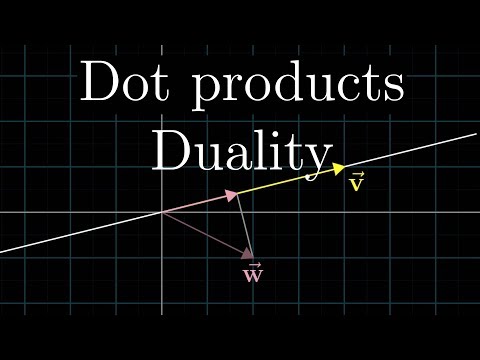
Dot products and duality
Video by 3Blue1Brown · Open on YouTube
A visual explanation of projection, which is the part of dot product that helps makers answer facing, lighting, and how-much-forward questions.
First watch: Watch for the moment one vector is projected onto another, then connect that to a facing or sensor-alignment question.
- Projection idea
- Length along a direction
- Why the formula works
- Geometric meaning
Practice after watching: Draw two arrows from a project and mark which part of one arrow falls along the other.
Source note saves on this device.
Visual math check
Sketch the thing before the equation
Maker math should answer a visible project question. Draw the shape, arrow, angle, distance, or transition first; then use the equation as the shortest way to check the drawing.
Try a prediction from the sketch
Before using the formula, point at the drawing and predict which part should change: direction, length, angle, scale, or fit. Then use the example to check the prediction.
direction
target
angle
unit + scale
Question
Use dot product as a yes/no or how-much signal for facing, projection, lighting, and control problems.
First sketch
Normalize direction vectors first when you want an angle-like comparison instead of a size-weighted number.
Proof
Draw a player forward arrow and a target direction arrow. Predict whether the dot product should be positive, near zero, or negative before calculating it.
Mini build check
Pause before the formula. Point at the drawing and say what should move, turn, scale, or line up.
Formula in plain English
Use the equation to check the sketch
dot = ax * bx + ay * byWhat it means
Dot product measures how much one direction lines up with another.
Where makers use it
Use it for facing checks, projection, lighting strength, and forward/backward signals.
Common trap
Normalize first when vector length should not affect the answer.
Ladder steps
Each step should prove one idea before the project asks for the next one.
Start with two arrowsDot product compares two directions or one direction against a surface normal. You can name both vectors and what each represents.
Normalize for direction checksIf length should not matter, use unit vectors before comparing. The result sits in a predictable range from -1 to 1.
Read the signPositive means broadly same direction, zero means sideways, negative means opposite. You can explain what a positive, zero, or negative result means for the build.
Use thresholds deliberatelyProjects often need a cutoff, not exact equality. Your note explains why the chosen threshold fits the behavior.
Project checks
Read these as project signals first. The expression is only the compact check, not the lesson.
Project check
Check if an object broadly faces a target
What it tells you: Near 1 means aligned, near 0 means sideways, below 0 means behind.
Small calculation
facing = forward.normalized().dot(to target.normalized())
1 forward = (1, 0); target direction = (0.8, 0.6); dot = 0.8
2 The target is mostly in front, not behind or sideways.
Project check
Measure how much velocity points forward
What it tells you: Positive forward component, negative backward component.
Small calculation
forward speed = velocity.dot(forward.normalized())
1 velocity = (3, 2); forward = (1, 0); forward speed = 3
2 Separate useful forward motion from sideways drift.
Project check
Estimate simple surface lighting
What it tells you: A value closer to 1 means stronger alignment with light.
Small calculation
brightness = max(0, normal.dot(light direction))
1 normal dot light = -0.2; brightness = 0
2 Clamp negative light so the back side does not glow.
Self-check: can you use this?
Answer these before the practice task. The quiz checks your answers on this page only; nothing is saved.
0 of 8 checked.
Common traps
- Forgetting to normalize when length should not affect the answer.
- Comparing floating-point values to exactly zero.
- Using dot product before naming what each arrow means.
Practice task
Draw a player forward arrow and a target direction arrow. Predict whether the dot product should be positive, near zero, or negative before calculating it.
Next steps
- Use vectors for maker projects first if the arrows are unclear.
- Use cross product when left/right or surface normal matters.
- Use trig when the project starts from degrees or radians.
Practice path
- Near-Copy Rebuild: Recreate one example, decision path, or worked explanation from Dot Product for Facing and Projection. Keep most givens the same, then solve and check while naming each cue you used. Use the lesson's example block when it helps.
- One-Change Transfer: Change exactly one condition, number, input, symptom, material, or constraint from the near-copy case. Then solve and check again and explain what changed.
- Mixed Review Set: Interleave this topic with one prerequisite or adjacent idea. Write three short prompts: one recall, one application, and one comparison.
- Find And Fix The Error: Invent a plausible wrong answer, unsafe step, invalid assumption, or bad classification. Mark the first point where it goes wrong, then correct it using the lesson's check.
Flashcard preview
What does a negative dot product usually mean?
The two normalized directions point more opposite than aligned.
Why normalize before many dot-product checks?
It makes the answer describe direction rather than being inflated by vector length.
What does the 'Start with two arrows' step prove?
Dot product compares two directions or one direction against a surface normal. Check: You can name both vectors and what each represents.
What does the 'Normalize for direction checks' step prove?
If length should not matter, use unit vectors before comparing. Check: The result sits in a predictable range from -1 to 1.
What does the 'Read the sign' step prove?
Positive means broadly same direction, zero means sideways, negative means opposite. Check: You can explain what a positive, zero, or negative result means for the build.
What does the 'Use thresholds deliberately' step prove?
Projects often need a cutoff, not exact equality. Check: Your note explains why the chosen threshold fits the behavior.
Downloadable study pack
Export the same lesson as a plain Markdown note or Anki-compatible TSV. Commands and code blocks stay plain so they work in local notes.
Related paths
Study pack check passed. Notes, cards, examples, and practice tasks are meant to keep the lesson useful outside the page.
Connected routes
Use these links like a project map: what helps before this, what this unlocks, and where it fits.
Helpful before this
Project context
What this unlocks
- Use vectors for maker projects first if the arrows are unclear.
- Use cross product when left/right or surface normal matters.
- Use trig when the project starts from degrees or radians.
Related pages
Text lesson and video notes
This page works as a text lesson first. If you later watch a matching tutorial, use the notes pattern here to capture the build decision, timestamps, warnings, and the next practical task instead of saving a raw link.
Read the text lesson
Use the steps, examples, traps, and practice task on this page to understand the next move in a maker project.
Attach a video note
Save useful workshop or tutorial videos into an Obsidian note with timestamps, source links, and what each segment proves. The site does not need the video to be useful.
Review and practice
Download the cards, then finish the practice task before adding more links to your project notebook.
Suggest a better source video
If another tutorial explains this topic more clearly, send the title and YouTube URL. Suggestions should help the ladder, not replace it.
Topic: Dot Product for Facing and Projection
Continue learning this topic
Use this page as part of a project path, not as a one-off article. Save the note, review the cards, try the practice task, then choose the next lesson based on what your project exposes.
Study assets
Project context
- Build a First Godot Game Loop
- Browse Maker Math
- Next ladder clue: Use vectors for maker projects first if the arrows are unclear.
Related references
Buy me a cup of coffee
TopicLadder is free to read. Coffee support helps turn rough maker ladders into clearer project paths, notes, cards, and practice labs.
